Local-first workflow
Downloads, transcodes, history, and source files stay on your Mac. No browser upload, no cloud render farm.
Save online video as organized local assets: video, audio, subtitles, thumbnails, chapters, and metadata. Render ProRes or DNxHR on your Mac when you need edit-ready files.
Trust
Pullframe is built for legitimate editing, archiving, research, and source capture. No adware-style installer, no cloud upload, no vague privacy story.
Downloads, transcodes, history, and source files stay on your Mac. No browser upload, no cloud render farm.
Source is public on GitHub, release notes are public, and telemetry is documented. We collect it to keep licensing, downloads, updates, and failures working without collecting your media, URLs, or paths.
Use Pullframe for videos you own, created, licensed, or have permission to use. Read the acceptable-use policy.
Workflow
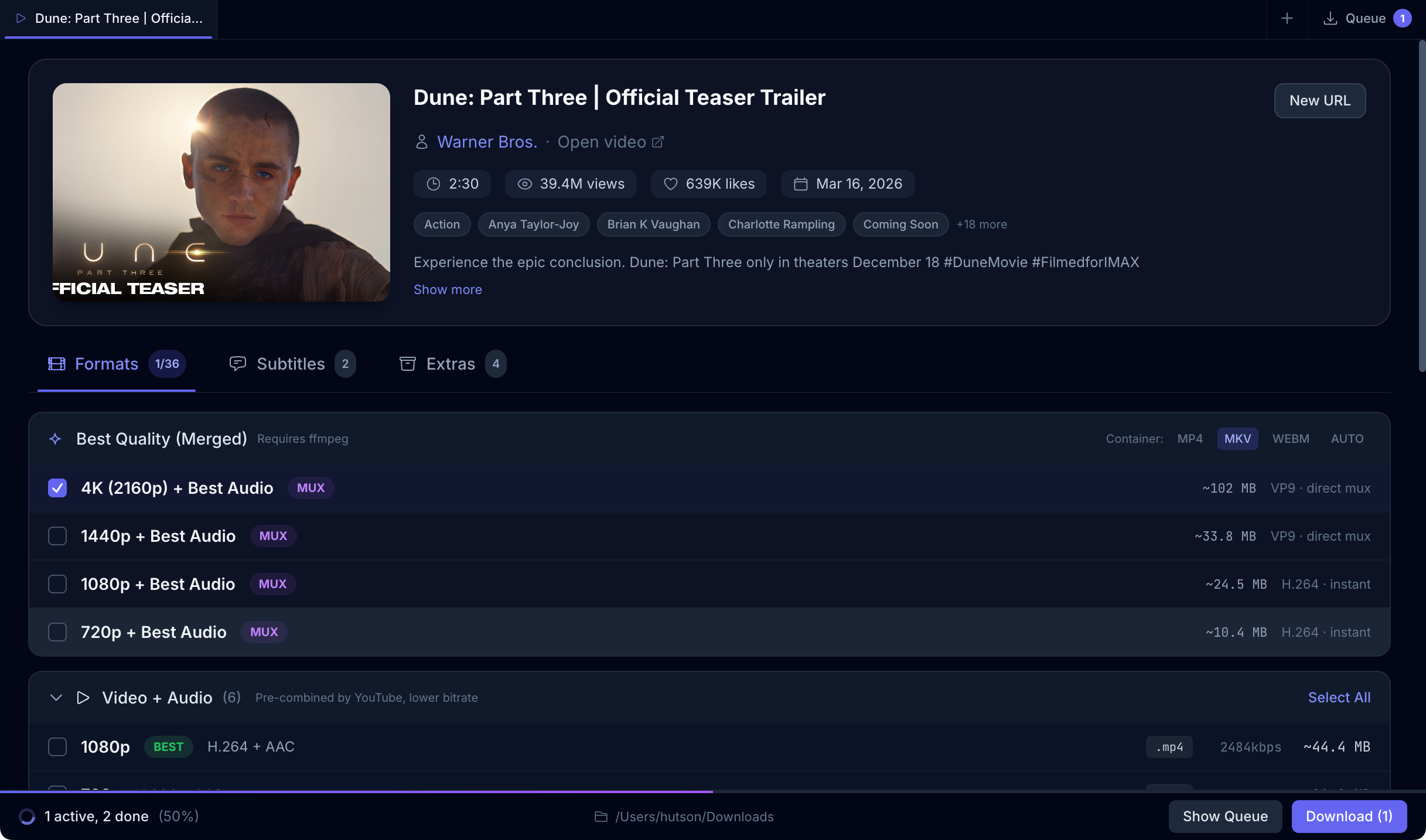
Pullframe handles the source-capture work around online video: choosing formats, downloading the media and everything useful around it, keeping a queue, and preparing files for editing or archive workflows.
Keep videos, playlists, and channels open side by side so source capture does not turn into browser-tab sprawl.
Choose video-only, audio-only, or merged formats before a download starts.
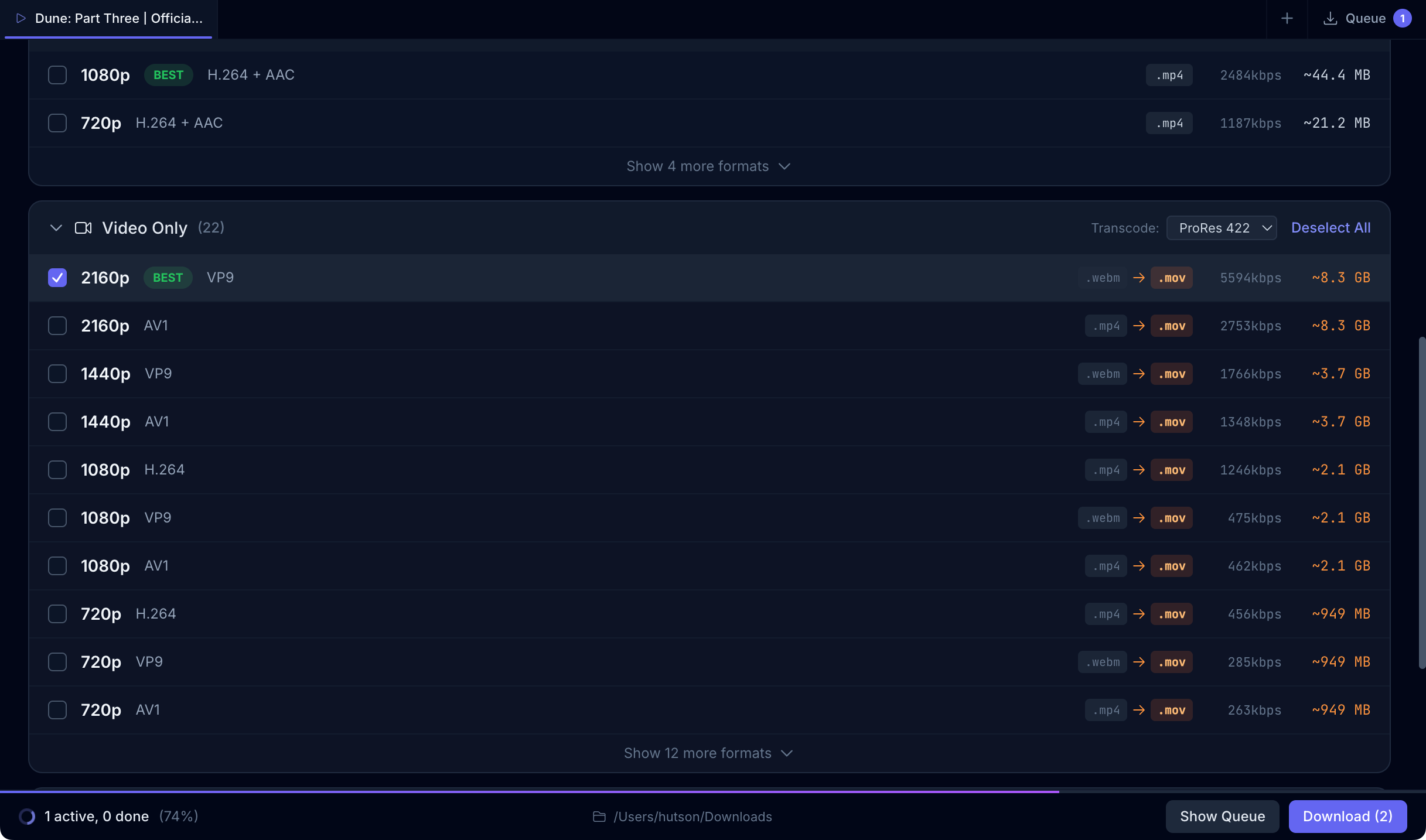
Keep source media as-is, mux tracks together, or convert locally to ProRes, DNxHR, H.264, or HEVC.
Download subtitles and convert them to Original, SRT, VTT, or ASS for edit and archive workflows.
Save the media plus useful extras: subtitles, thumbnails, descriptions, comments, info JSON, and chapter markers.
Queue work, retry failures, reveal files in Finder, and keep download history across app restarts.
Resolve larger source lists, search them, and queue only the videos worth keeping.
Use an optional local browser session for videos that require YouTube login or verification.
Signed builds check the official Pullframe update feed so you know where updates come from.
ProRes & DNxHR
Choose a source, choose an edit target, and Pullframe renders.mov files on your Mac with local ffmpeg. No cloud handoff, no quality change you did not ask for.
Roadmap
Tracked publicly on GitHub. Nothing here ships in v1 — these are next.
Native Linux build for editors and producers running Resolve on Linux.
Native Windows build so cross-platform teams stay on one source-capture tool.
Additional source platforms beyond YouTube for playlists and channels.
Saved transcode chains for ProRes, DNxHR, and H.264 delivery passes.
Optional Ollama and vLLM connectors for offline transcription and summarization.
Chain download, transcode, and sidecar steps; apply to a playlist or URL list.
Preview downloads, mark in and out points, and export only the selects you need.
Share download, format, and naming presets across a small editorial team.
Direct integration with ingest layouts for Premiere, Resolve, and Final Cut.
Pricing
No subscriptions. No recurring fees. A Mac app you can keep using.
1 activated Mac
2 activated Macs
3 activated Macs
FAQ
Yes. Buy once, activate on your Mac, and keep using the app. Updates ship for the life of the product.
Pullframe can save video, audio, merged formats, subtitles, thumbnails, descriptions, comments, info JSON, and chapter markers when they are available from the source.
Yes. Paste a playlist, channel, or handle URL, review the resolved entries, search the list, and queue only the videos you want to keep.
Yes. Pullframe can render Apple ProRes and Avid DNxHR locally with ffmpeg, so you can turn source downloads into edit-ready media on your Mac.
No. Downloading, transcoding, and history stay local on your Mac. The app sends a small operational telemetry envelope and a license check, but we do not collect source URLs, file paths, or your downloaded content.
Usually no. For videos that require login or verification, Pullframe can use an optional local browser sign-in source from supported browsers on your Mac.
The source is public so you can inspect what the app does and build it yourself. The paid build is the convenience layer: signed and notarized, with licensed updates, support, and license recovery.
Each plan covers a set number of activated Macs. Deactivate one Mac in the app and you can activate another. License recovery is built in if you lose access.
Pullframe is a tool for legitimate editing, archiving, research, and source-capture workflows. Use it only for videos you own, created, licensed, have permission to use, or are otherwise allowed to download under the applicable terms and law.
Pullframe has a 14-day refund window. Email [email protected] and we will sort it without support-ticket gymnastics.